
School fee collection should not mean weeks of chasing parents. Late payments usually come from small frictions: an invoice that arrives late, a payment that takes too many steps, a reminder nobody sends. A good school fee management system removes most of them, and the bursary stops spending the first month of every term on follow ups.
This guide is for bursars, finance heads and principals at private, international and Chinese independent schools. It covers five practical changes that reduce late fees, and what a school fee management system should do to make them stick.
Why fees arrive late
Late payment is rarely about parents refusing to pay. In most schools it comes down to a few avoidable problems:
- Parents receive the invoice late, or on paper that gets lost in a school bag
- The amount is unclear, with extras added after the main invoice
- Paying takes effort: a bank transfer, then a photo of the slip, then a message to the office
- Reminders depend on one staff member remembering to send them
- The office cannot see who has paid until payments are matched by hand
Each of these has a simple fix. Together they turn fee collection from a monthly chase into a routine the system runs for you.
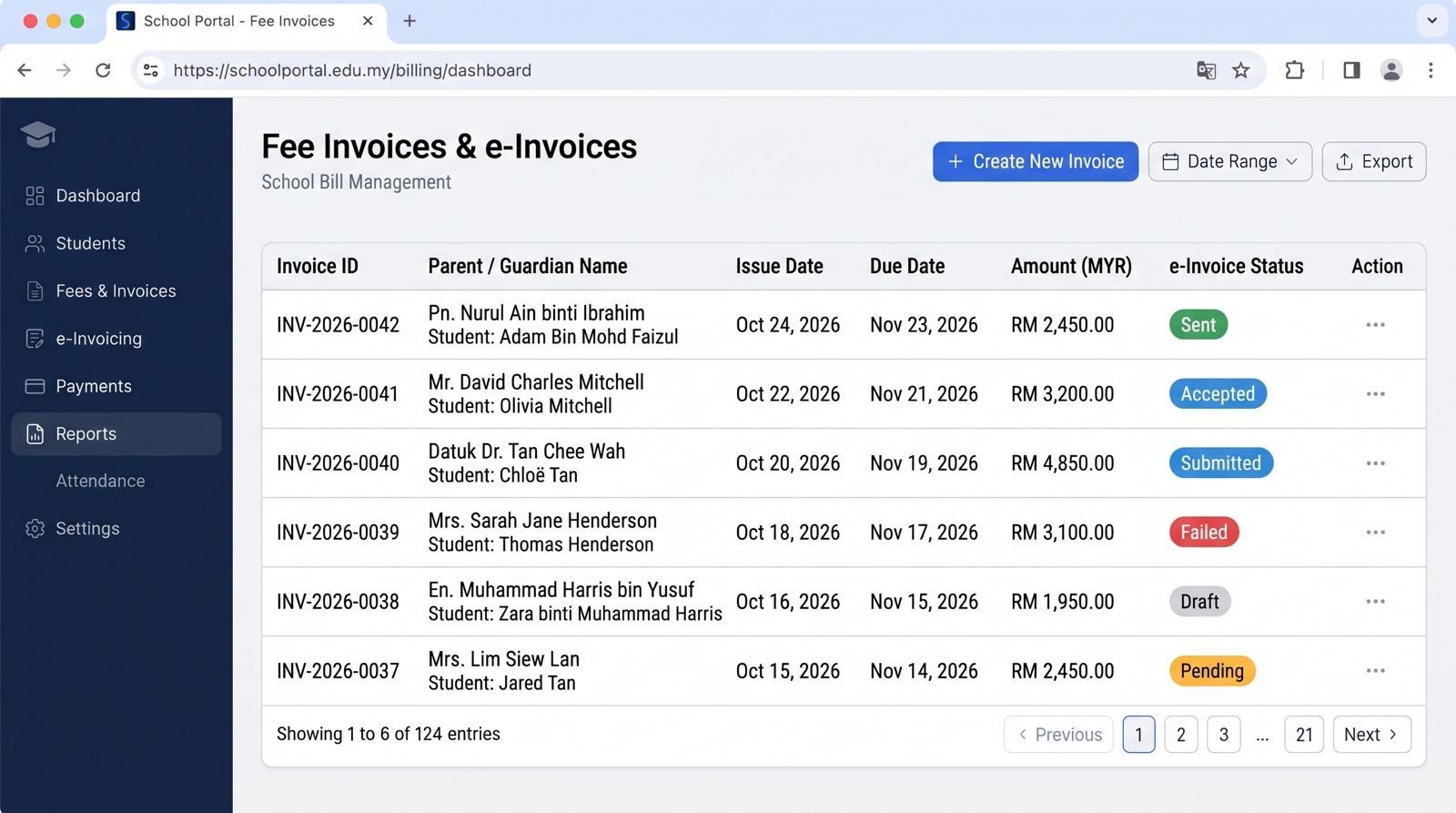
1. Send every invoice on the same day, the same way
Fix one invoice date for each term or month and send every invoice through the parent app on that day. Parents learn when to expect it, and nobody can say they never received it. Invoices should come straight from the fee schedule in the school management system, not be typed up in a spreadsheet.
Put everything on one invoice where you can: tuition, transport, hostel, activities and books. Several small invoices in a month feel like surprise charges and get paid last.
2. Make paying a one tap job
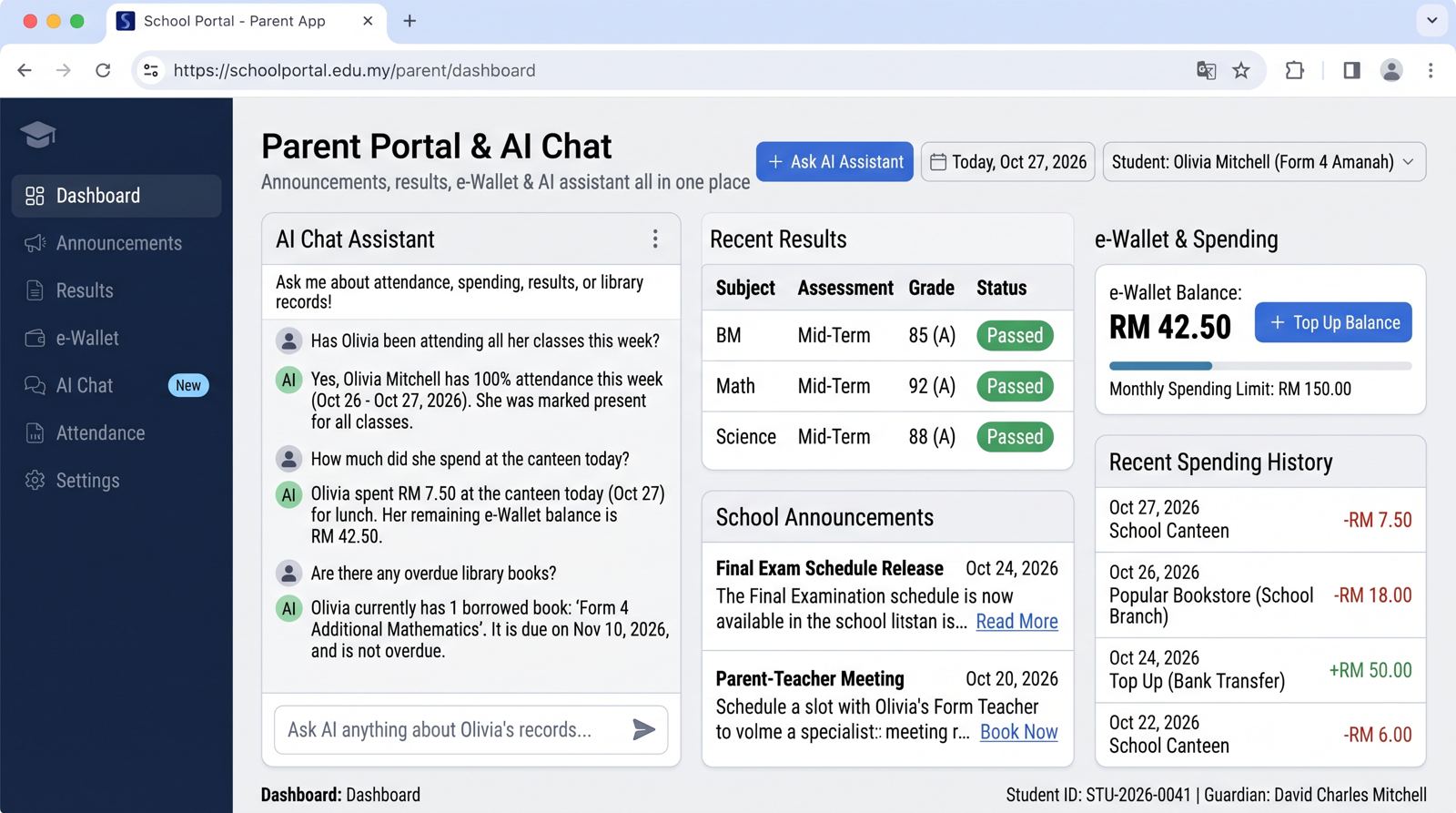
The fewer steps between seeing the invoice and paying it, the sooner parents pay. Online school fee payment from the parent app, using FPX or card, removes the bank transfer, the slip photo and the WhatsApp message to the office. The payment is matched to the invoice automatically.
Show the balance, the due date and the pay button on the same screen. Parents who can see exactly what is owed rarely need to call the office to ask.
3. Let the system send the reminders
Manual reminders are awkward for staff and easy to forget during busy weeks. Set a reminder schedule once and let the system follow it for every family:
- A friendly note a few days before the due date
- A reminder on the due date
- A firmer reminder a week after, with the balance shown
- A flag for the bursar to call personally after that
Automatic reminders are polite, consistent and never skip a family. Staff only step in for the few cases that need a conversation.
4. Offer instalments before parents ask
Large term fees are a real strain for some families, especially at the start of the year when uniforms and books are also due. Offering a clear instalment plan up front, set up in the system, often brings in more on time than waiting for parents to fall behind.
The system should split the invoice, track each instalment and remind the parent before each one is due, so the bursary is not managing side agreements by hand.
5. See who has paid, every day
The bursar should be able to open one screen and see what has been invoiced, what has been paid, and who is overdue, by class or by family. When payments are matched automatically, this view is always current. Problems show up in the first week, not at the end of the term.
This daily view also helps the principal. Fee collection by class and term, compared with last year, shows whether changes are working.
What the school fee management system should do
- Create invoices from the fee schedule for every student, including siblings on one family account
- Send invoices and receipts through the parent app
- Take online payments and match them to invoices automatically
- Send reminders on a schedule the school sets
- Split invoices into instalments and track each one
- Show paid, due and overdue amounts by class, family and term
- Connect to school accounting so the finance team is not re keying
Schools that run fees in the same system as enrolment and attendance also save time at the start of each term, because new students and leavers update the fee list automatically. Our clients report around 40% less time on admin work once records live in one system.
Talking to parents about the change
Any change to how fees are paid needs a clear message. Tell parents when invoices will arrive, how to pay in the app, when reminders will come, and who to contact if they need an instalment plan. Send it a few weeks before the first new invoice, and repeat it at the start of term.
Most parents welcome it. Paying in the app is easier for them than a bank transfer and a slip, and they can see every fee in one place.
A note on e Invoice
Private schools above the LHDN e Invoice threshold also need fee invoices validated through MyInvois. A fee system that is already e Invoice ready handles this in the same invoice run. Rules change often, so check the latest LHDN guidance or your tax adviser for your school's position.